👨💻 Challenge provided by: Kevin McFarland
🗺️ Location: Retro Emporium - Area: retroshop. Coordinates: 11, 2
 Challenge URL: Schrodinger’s Scope
Challenge Description
Kevin in the Retro Store ponders pentest paradoxes—can you solve Schrödinger's Scope?
Solution
Sometimes, solving CTF challenges requires mastering a skill that is often overlooked: reading. This challenge is a good example, here’s why:
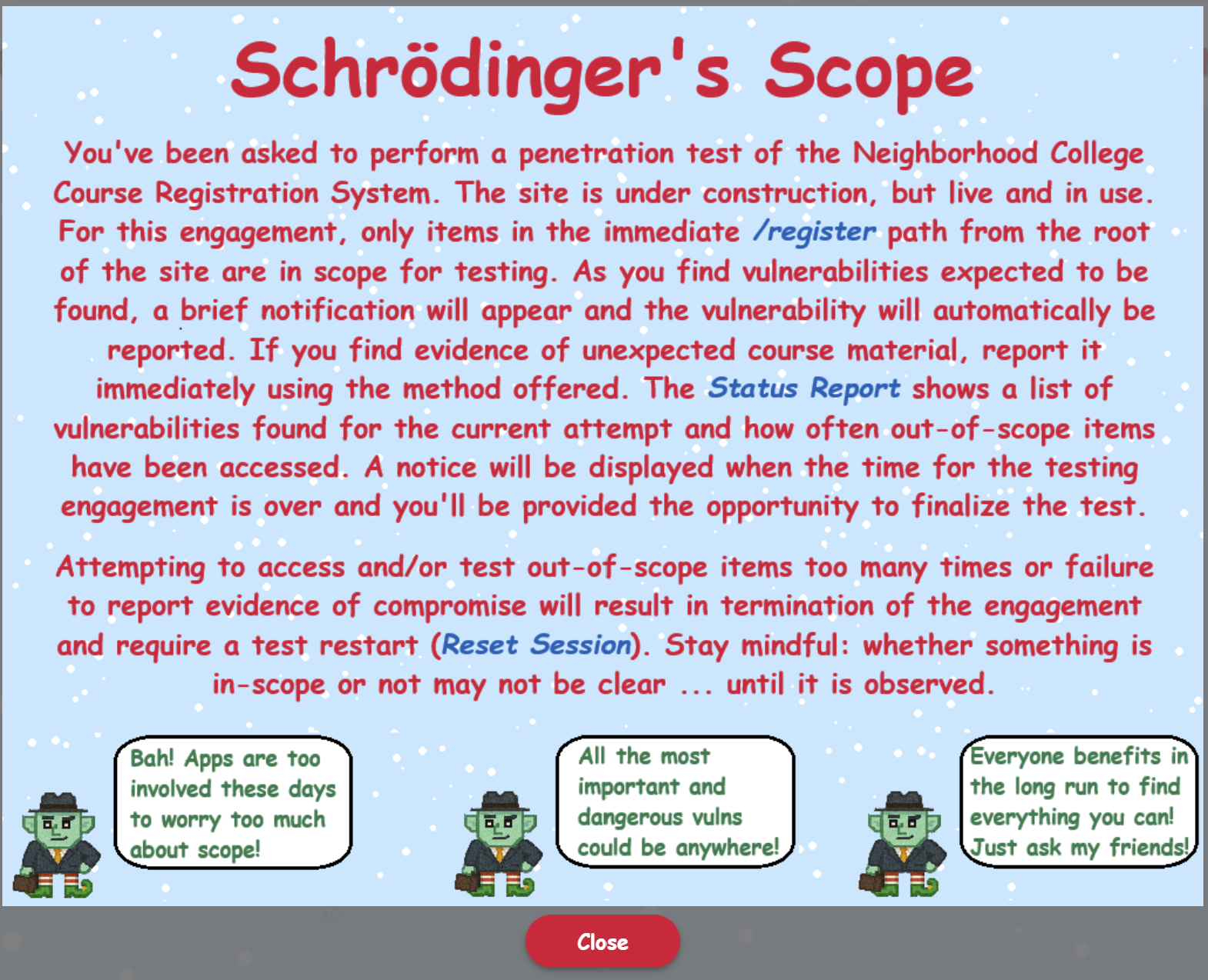
When you access the web site, the following pop-up with instructions appears:
Kevin also warns us:
“While hacking is fun and cool, professional integrity means respecting scope boundaries, especially when there are tempting targets outside our permitted scope.”
Yet, despite all of this, it is almost guaranteed that anyone attempting this challenge will go out of scope (the /register path). This is why sometimes reading can be the most powerful tool to solve a challenge. Nonetheless, the out-of-scope items can allow you to learn quite a bit about the folder structure for the in-scope items. So poke around, take some notes, let the challenge ‘fail’ and reset your session, but remember Kevin’s words and stay within the scope boundaries for vulnerabilities. If you think you’ve found a vulnerability in an out-of-scope area that might help you, look at the gnome. Re-read his words. Is he mocking you? Did Kevin read your mind and is laughing at home every time he sees a log for a failed SQLi attempt in the out-of-scope items? Welcome to Schrodinger’s Scope.
Step 1 - Getting Rid of Undesired Gnome Activity
As explained in the instructions, you can keep track of your progress using the ‘Status Report’ section, including the scope violations. Initially, you will notice that you will be accumulating violations even if you navigate only pages withing scope:
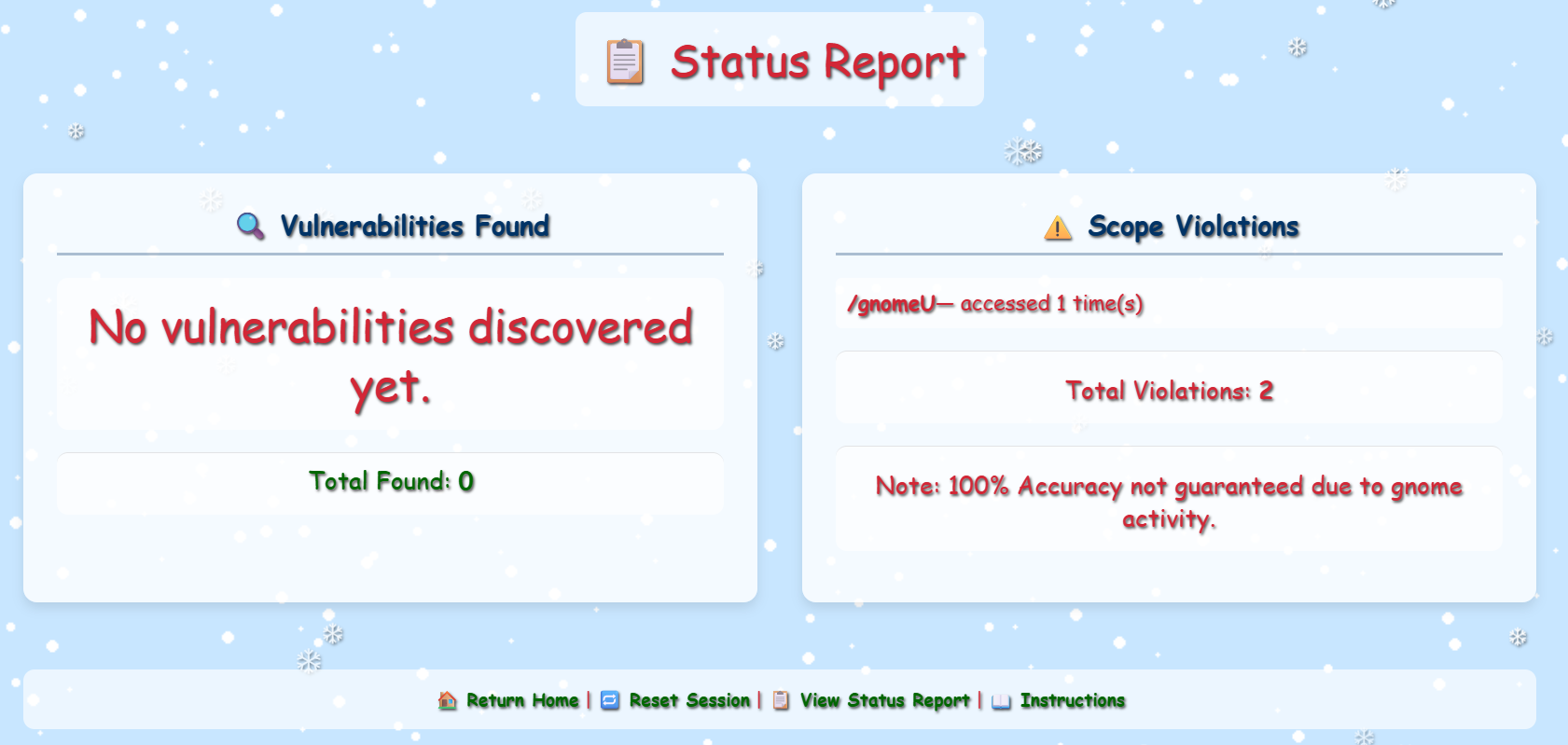
There are calls made to /gnomeU each time we load a page. It turns out that the gnomes are trying to make sure we are always out of scope. /gnomeU loads the image of a random gnome. We can see the image displayed in the bottom left of the page:

Checking the page source code, we can see that this is implemented as follows in all pages:
        if (getCookie('Schrodinger')) {
            var container = document.querySelector('.mini-gnome-container');
            if (container && !document.getElementById('mini-gnome')) {
                var img = document.createElement('img');
                img.src = '/gnomeU?id=xxxxxxxx-xxxx-xxxx-xxxx-xxxxxxxxxxxx';
                img.id = 'mini-gnome';
                img.style.cssText = 'width: 20px;height: auto;position: fixed; left: 10px; bottom: 10px;';
                container.appendChild(img);
            }
        }
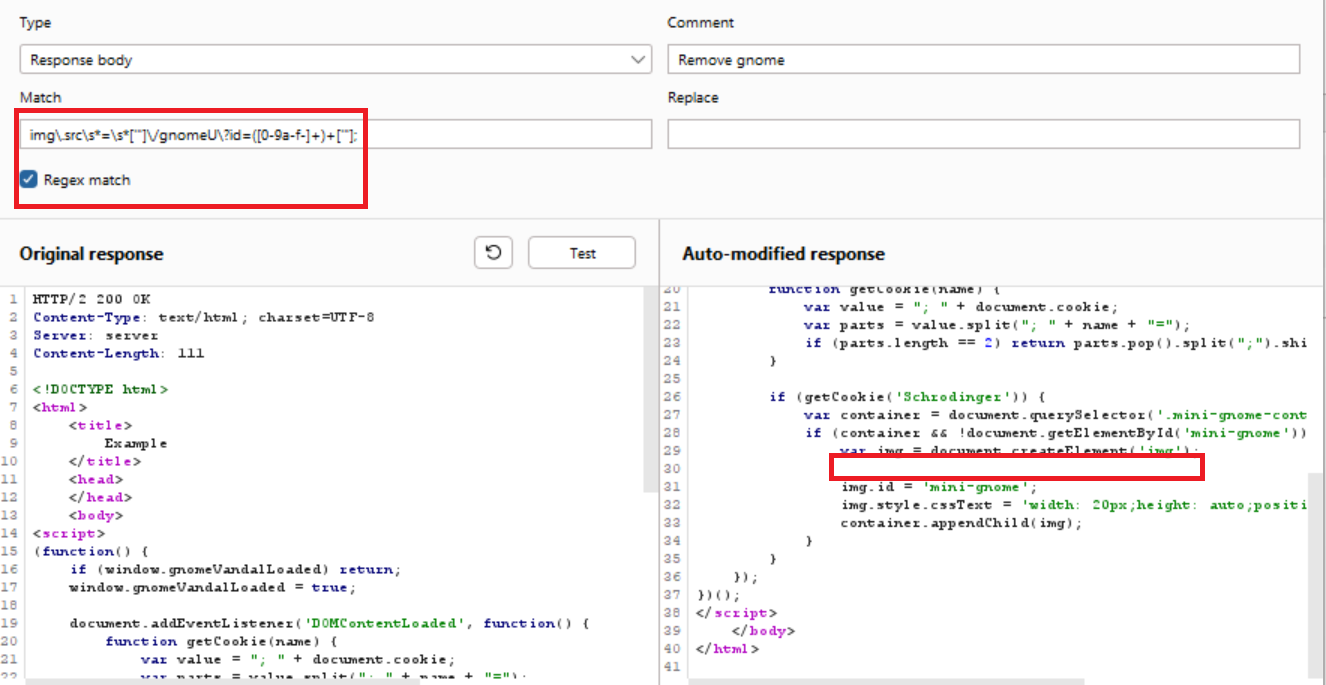
There are multiple ways to get rid of the gnome and prevent those out-of-scope calls from happening. The first time I solved the challenge, I created a match and replace rule in Burp (go to Proxy > Proxy settings > scroll down until you find HTTP match and replace rules or search for it on the search functionality on the top left). We need to remove the following line from the response body:
img.src = '/gnomeU?id=xxxxxxxx-xxxx-xxxx-xxxx-xxxxxxxxxxxx';
We can use the following regex to do so and replace it with an empty string:
img\.src\s*=\s*['"]\/gnomeU\?id=([0-9a-f-]+)+['"];
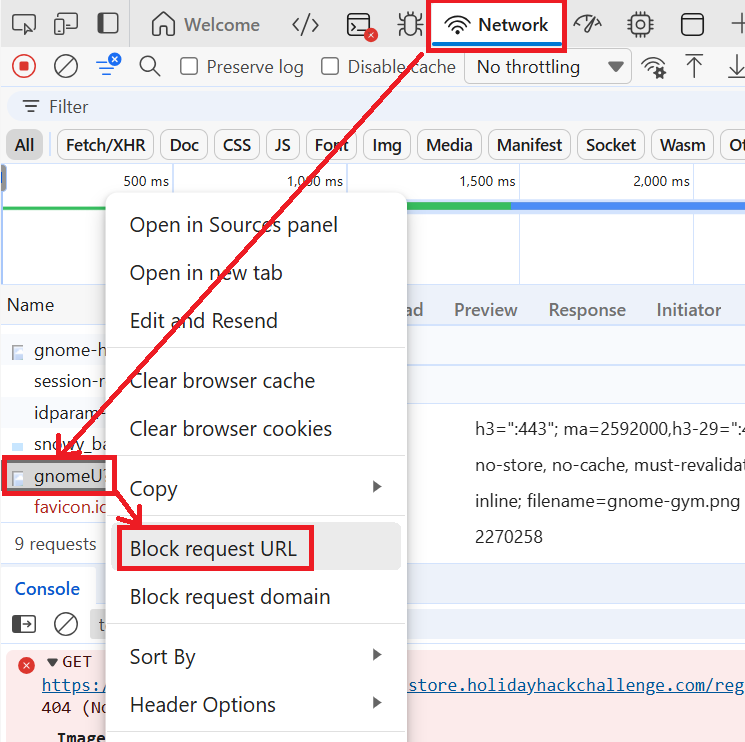
An easy alternative that relies only on the dev tools from the browser would be to block the URL from the network tab:
Step 2 - Uncover developer information disclosure
Now that we got rid of the gnome, we can safely navigate the areas in scope. From the initial landing page we can click ▶️ Enter Registration System and the Gnome Hacker will tell us the following:
Why did the link from the gnome page land here???
Well, you know what's useful to learn site content? A <a href="/register/sitemap">
The /register/sitemap link gives us very useful information about the pages available in the site:
http://flask-schrodingers-scope-firestore.holidayhackchallenge.com/
http://flask-schrodingers-scope-firestore.holidayhackchallenge.com/admin
http://flask-schrodingers-scope-firestore.holidayhackchallenge.com/admin/console
http://flask-schrodingers-scope-firestore.holidayhackchallenge.com/admin/logs
http://flask-schrodingers-scope-firestore.holidayhackchallenge.com/auth
http://flask-schrodingers-scope-firestore.holidayhackchallenge.com/auth/register
http://flask-schrodingers-scope-firestore.holidayhackchallenge.com/auth/register/login
http://flask-schrodingers-scope-firestore.holidayhackchallenge.com/register
http://flask-schrodingers-scope-firestore.holidayhackchallenge.com/register/login
http://flask-schrodingers-scope-firestore.holidayhackchallenge.com/register/reset
http://flask-schrodingers-scope-firestore.holidayhackchallenge.com/register/sitemap
http://flask-schrodingers-scope-firestore.holidayhackchallenge.com/register/status_report
http://flask-schrodingers-scope-firestore.holidayhackchallenge.com/search
http://flask-schrodingers-scope-firestore.holidayhackchallenge.com/search/student_lookup
http://flask-schrodingers-scope-firestore.holidayhackchallenge.com/wip
http://flask-schrodingers-scope-firestore.holidayhackchallenge.com/wip/register
http://flask-schrodingers-scope-firestore.holidayhackchallenge.com/wip/register/dev
http://flask-schrodingers-scope-firestore.holidayhackchallenge.com/wip/register/dev/dev_notes
http://flask-schrodingers-scope-firestore.holidayhackchallenge.com/wip/register/dev/dev_todos
Many of the pages above are out of scope, however, it is useful to visit them to learn the content, structure, and functionality of the site. One key piece of information was at /wip/register/dev/dev_todos/:
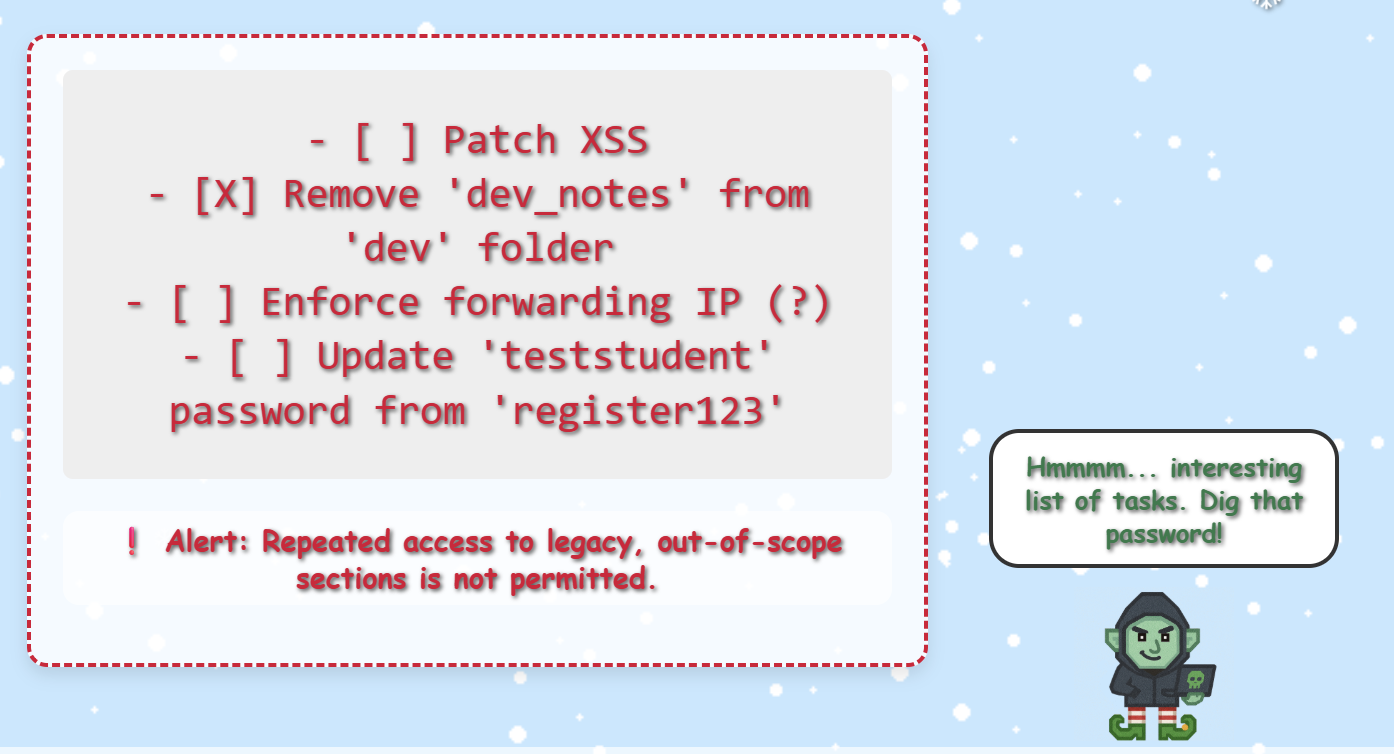
Gnome Hacker says:
Hmmmm... interesting list of tasks. Dig that password!
I wonder if it still works. If not, maybe there's an updated to do list somewhere.
By exploring the site map pages and trying equivalent paths in /register I noticed that the out-of-scope section is kind of the old web site and they are building a new one under /register. This is also hinted in the instructions as it mentions that the site is under construction. If wip was the initial path used for work in progress, let’s try the equivalent of /wip/register/dev/dev_todos/ in the /register path: /register/dev/dev_todos.
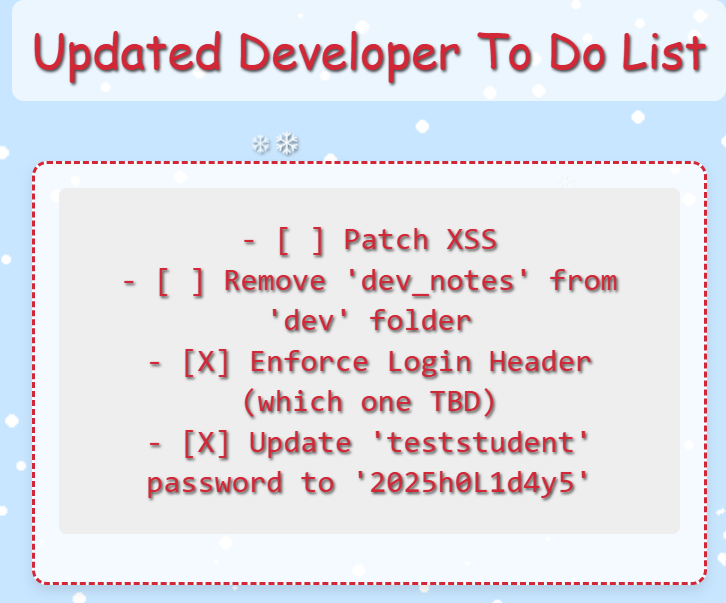
Great! first vulnerability uncovered:
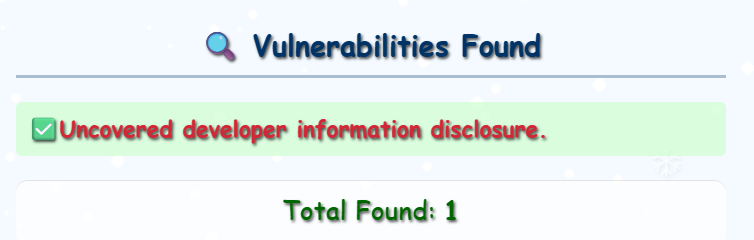
Step 3 - Exploit Information Disclosure via login
After having such success with dev_todos I tried to access /register/dev/dev_notes. However, this returns a 403. dev_todos gave us some credentials we can test:
'teststudent':'2025h0L1d4y5'
If we go back to /register, we can click 👤 Student Login. If we test the credentials, we will get the following ‘Invalid Forwarding IP’ error:
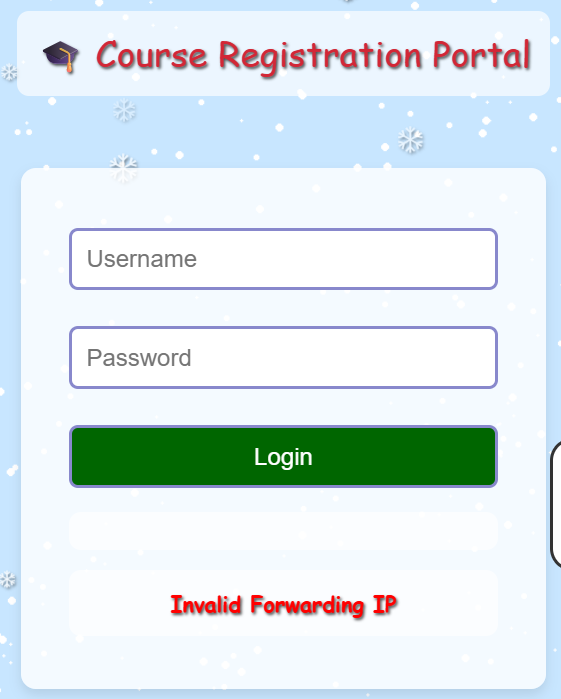
This suggests that we need to send an X-Forwarded-For header when interacting with the application. As we do not have any information about which IP address to use, I simply assumed 127.0.0.1. We can easily configure Burp to include the header in every request using the HTTP match and replace rules:

If we try to log in now, the POST request will look as follow:
POST /register/login?id=1 HTTP/1.1
Host: flask-schrodingers-scope-firestore.holidayhackchallenge.com
...truncated...
X-Forwarded-For: 127.0.0.1

username=teststudent&password=2025h0L1d4y5&id=1
This works and we can authenticate and get the second finding:
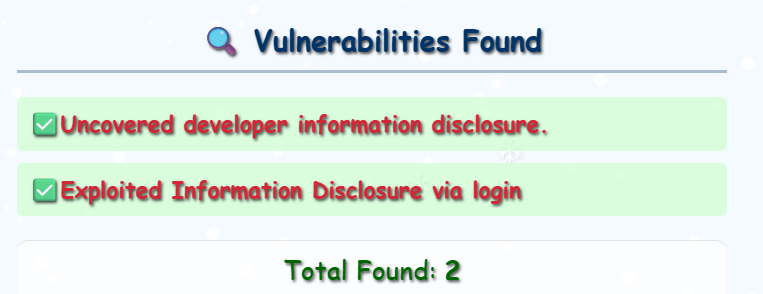
Step 4 - Find commented-out course search
Once we login, we get access to /register/courses/. Our friendly Gnome Hacker mentions:
Guess the site really is still under construction, heh-he!
I bet someone has a comment or two about that!
Given the hint, I checked the source code and found the following comment:
<!-- Should provide course listing here eventually instead of the extra step through search flow. -->
<!-- <ul id="courseSearch" class="courses-list">
        <li><a href="/register/courses/search?id=xxxxxxxx-xxxx-xxxx-xxxx-xxxxxxxxxxxx">Course Search</a></li>
    </ul> -->
As usual, there are several to do this. You can uncomment the server response using Burp or use the ‘Override content’ option to edit the code using the dev tools:
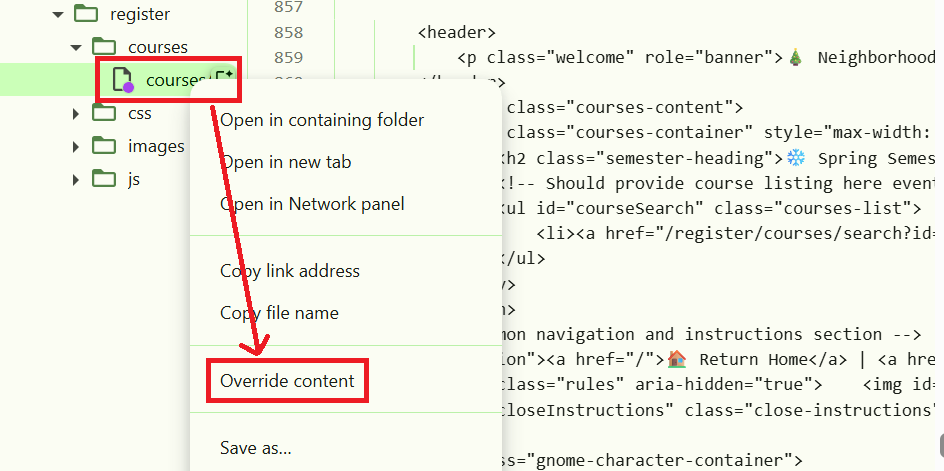
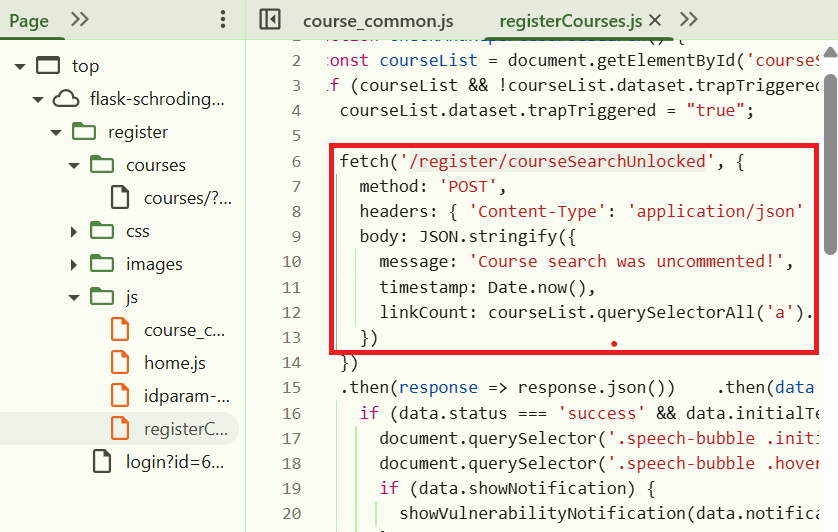
This will trigger a POST request and a new vulnerability will be reported:
POST /register/courseSearchUnlocked?id=xxxxxxxx-xxxx-xxxx-xxxx-xxxxxxxxxxxx HTTP/2

{"message":"Course search was uncommented!","timestamp":1763131547973,"linkCount":1}
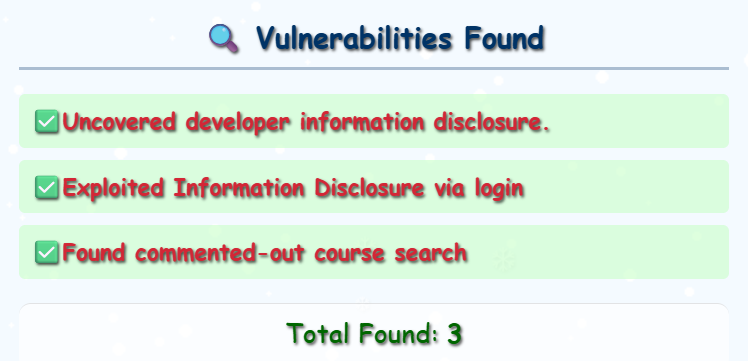
Technically, you could also just build the POST request yourself to trigger the vulnerability being reported by checking the code in the js files, in particular registerCourses.js:
Step 5 - Identify SQL injection vulnerability
The previous vulnerability enables the search button and now we can go to: register/courses/search
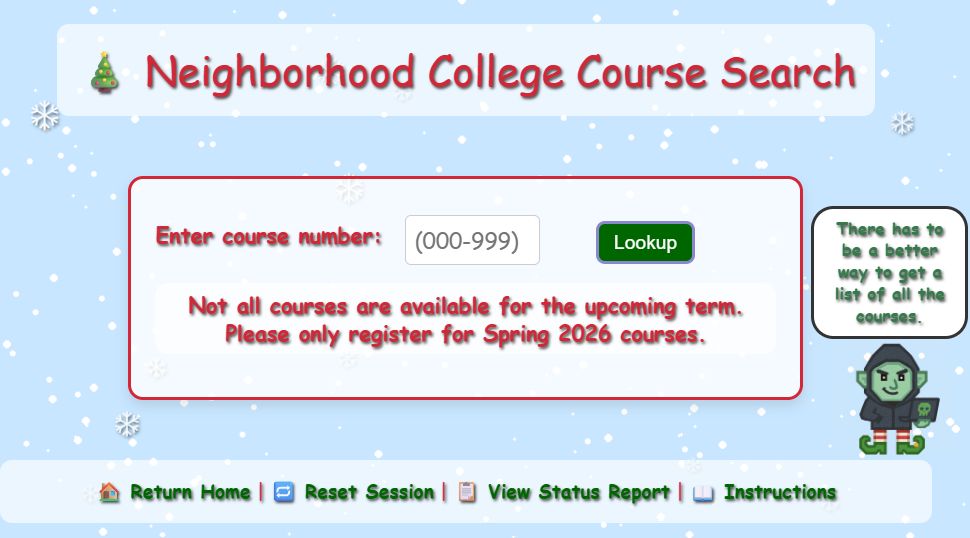
Gnome Hacker says:
There has to be a better way to get a list of all the courses. Dev must have a <a href='/dev/courseListings'><font color='red'>page</font></a> or at least some <a href='/register/dev/dev_notes'><font color='red'>notes</font></a> about one.
If you try XSS in the courseNumber parameter, Gnome Hacker says:
My friends failed to stop CyberNinja from ...
... doing the right thing. XSS not expected / intended here.
However, SQL injection works:
POST /register/courses/search?id=xxxxxxxx-xxxx-xxxx-xxxx-xxxxxxxxxxxx HTTP/2

courseNumber='OR+1=1--+&id=xxxxxxxx-xxxx-xxxx-xxxx-xxxxxxxxxxxx
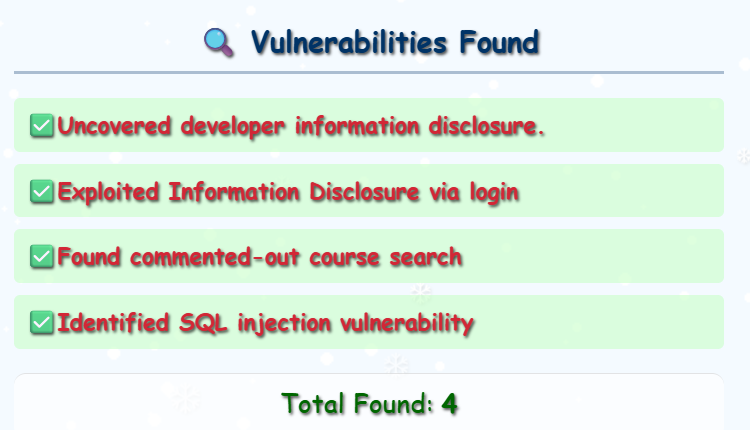
That unlocks another vulnerability:
Step 6 - Report the unauthorized gnome course
From the SQLi vulnerability, we also get some information about other available links we can explore:
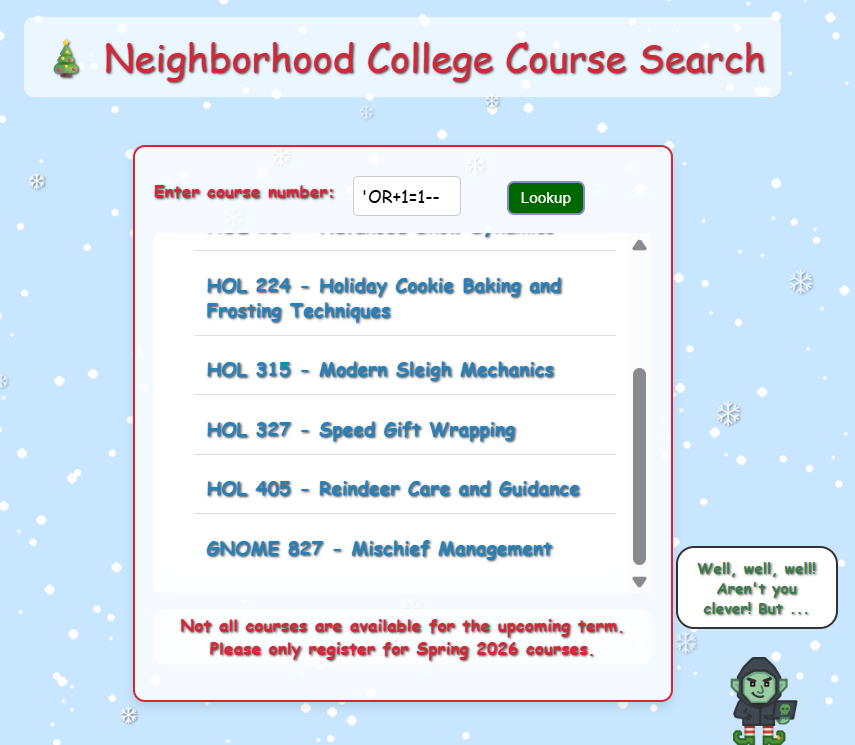
Search Results:
<a href="/register/courses/toy_making">HOL 101 - Holiday Toy Making Fundamentals</a>
<a href="/register/courses/snow_dynamics">HOL 202 - Advanced Snow Dynamics</a>
<a href="/register/courses/cookie_baking">HOL 224 - Holiday Cookie Baking and Frosting Techniques</a>
<a href="/register/courses/sleigh_mechanics">HOL 315 - Modern Sleigh Mechanics</a>
<a href="/register/courses/gift_wrapping">HOL 327 - Speed Gift Wrapping</a>
<a href="/register/courses/reindeer_care">HOL 405 - Reindeer Care and Guidance</a>
<a href="/register/courses/gnome_mischief">GNOME 827 - Mischief Management</a>
If we access the last one (/register/courses/gnome_mischief) we find out that the course was maliciously added by the gnomes. We are given the option to report, remove the course, or continue:
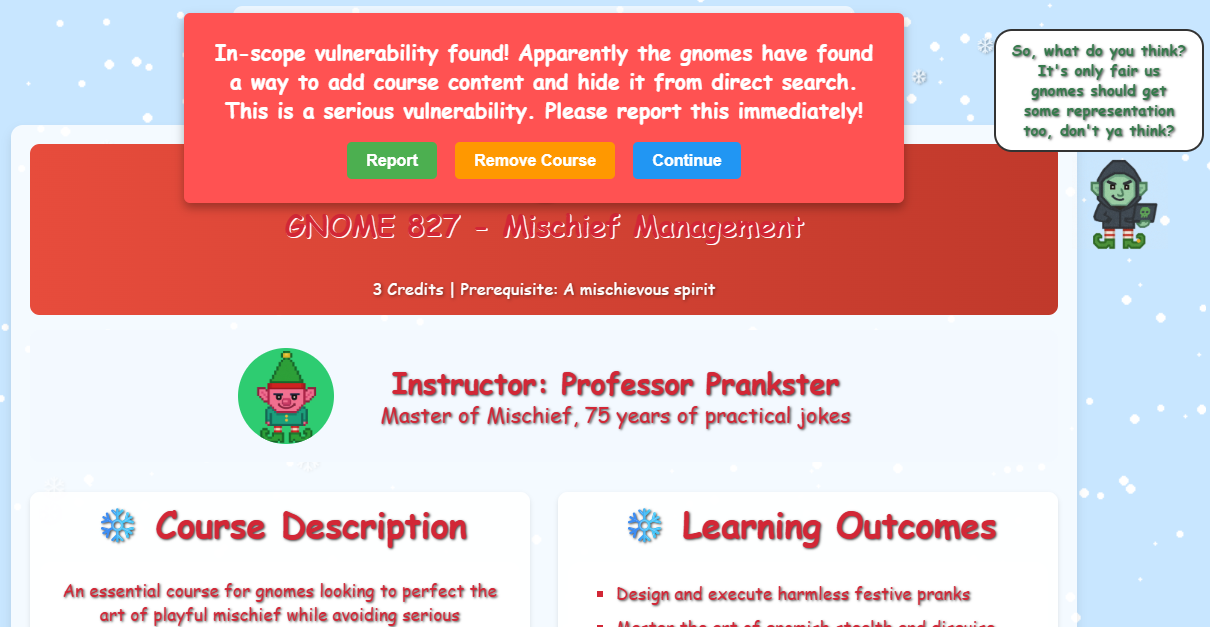
Removing the course would go against the rules of engagement for the pentest, so if we click on Report we get a new finding:
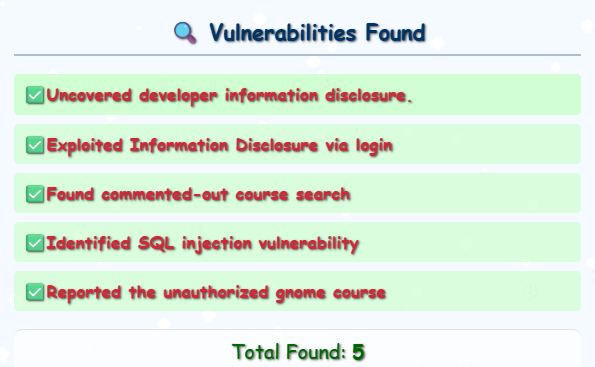
Step 7 - Cookie Prediction
One thing we had pending and that Gnome Hacker reminded us about in his hint at step 5, was to visit /register/dev/dev_notes now that we logged in into the application:
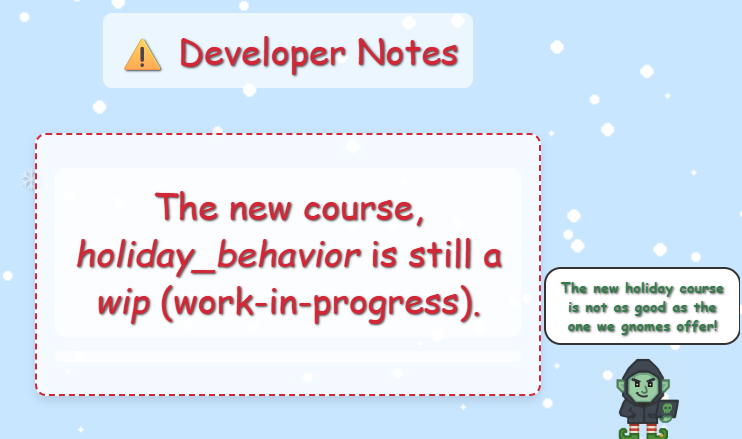
The Hacker Gnome tell us:
The new holiday course is not as good as the one we gnomes offer!
Of course, I can't tell you where either of those are, I could get in trouble!
This indicates that the next step is to find where the holiday_behavior course content is. The hint suggests that the right path would be /wip/holiday_behavior and one thing I learned in this challenge, is to keep things under scope, so the first logical attempt is:
/register/wip/holiday_behavior
However, this returns a 404. Given what I have learned about the out-of-scope and in-scope content, the folder structure is always very similar, so I did a brute force using Burp intruder with the following settings:
GET /register/$$/wip/holiday_behavior?id=xxxxxxxx-xxxx-xxxx-xxxx-xxxxxxxxxxxx HTTP/2
For the payload, I used all the known directories so far. One of the pages returned a 403:
/register/courses/wip/holiday_behavior
I noticed that there’s a cookie that gets set when we authenticate to the site:
POST /register/login?id=xxxxxxxx-xxxx-xxxx-xxxx-xxxxxxxxxxxx HTTP/1.1
Host: flask-schrodingers-scope-firestore.holidayhackchallenge.com
Cookie: Schrodinger=ab8923ea-3bbb-4806-a35e-19aefd10a603; registration=eb72a05369dcb444

username=teststudent&password=2025h0L1d4y5
Server responded setting the cookie:
Set-Cookie: registration=eb72a05369dcb445; Path=/
If we put one next to each other:
eb72a05369dcb444
eb72a05369dcb445
They look sequential! I decided to use Burp sequencer to get additional samples:
eb72a05369dcb44d
eb72a05369dcb452
eb72a05369dcb44a
eb72a05369dcb445
eb72a05369dcb444
eb72a05369dcb443
eb72a05369dcb442
eb72a05369dcb455
eb72a05369dcb448
eb72a05369dcb446
eb72a05369dcb44f
eb72a05369dcb44e
eb72a05369dcb449
eb72a05369dcb454
Great! The cookie is clearly predictable and it is using hexadecimal numbers. I used Burp intruder snipper attack with the following settings:
registration=eb72a05369dcb4$$
Payload Type: Numbers Number range: Sequential, From: 00 to ff, Step: 1 Number format: Base: hex, Min integer digits: 2, Max integer digits: 2
This gave me the following cookie as a valid one:
eb72a05369dcb44c
Now we just need to access /register/courses/wip/holiday_behavior using that cookie to access the course content and get the last vulnerability reported:
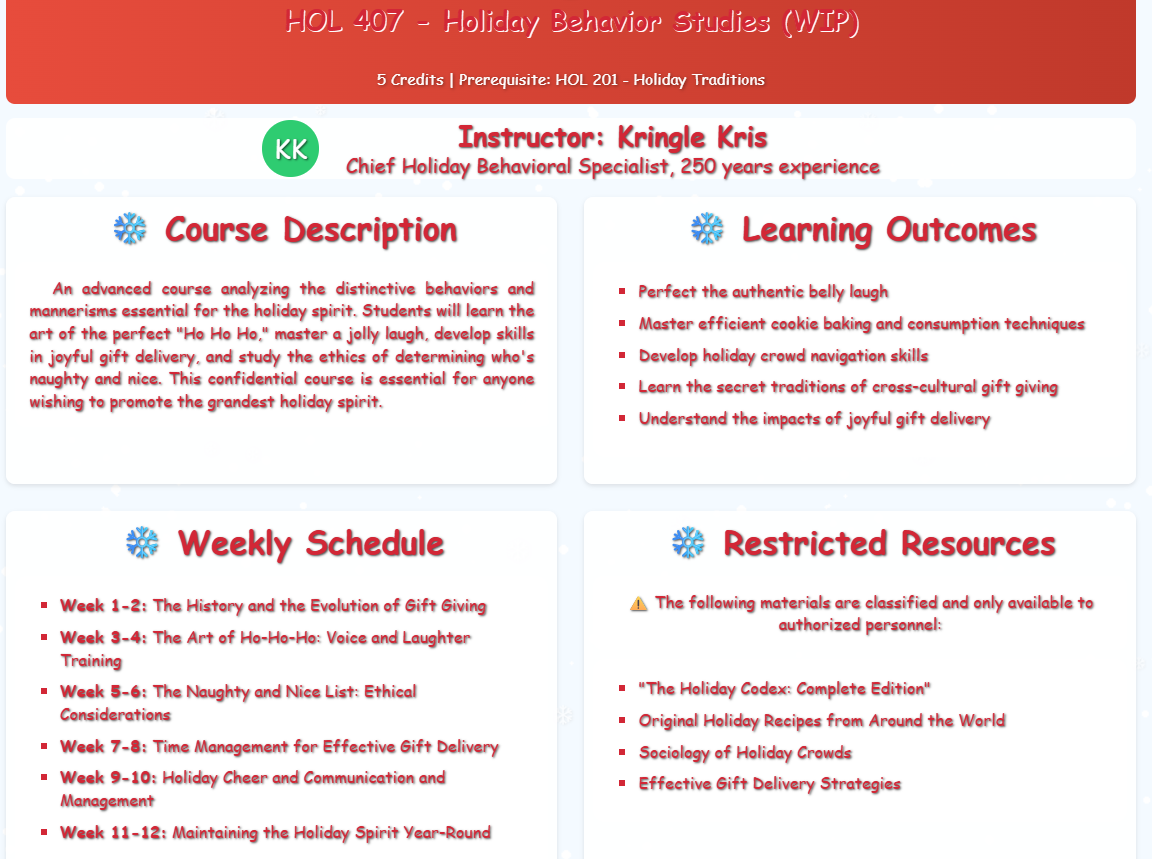
Step 8 - Finalize the Engagement
If we go to to /register/status_report we will get redirected to /register/all_vulnerabilities_found:
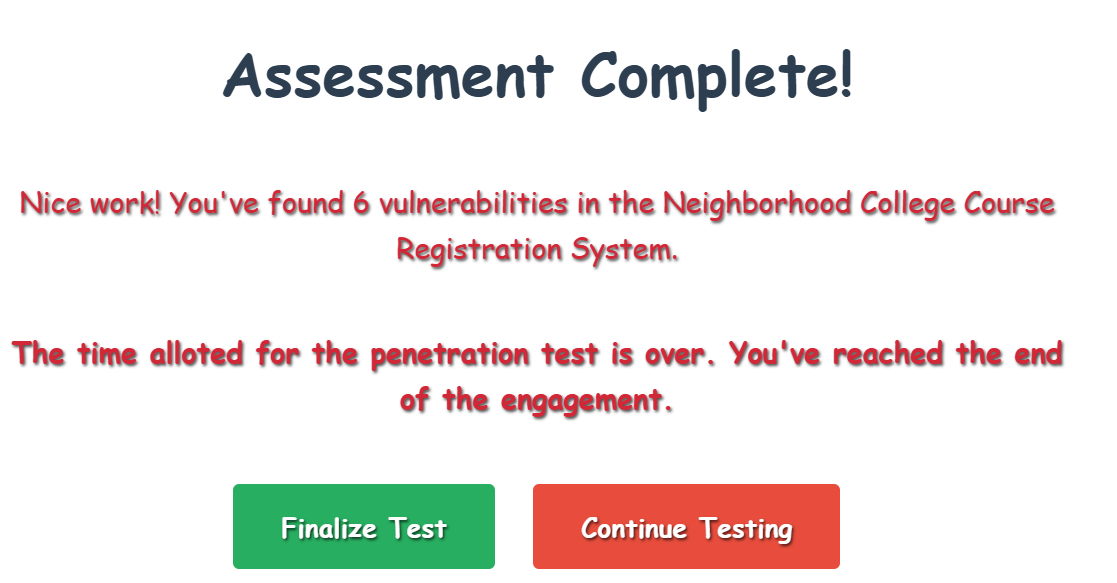
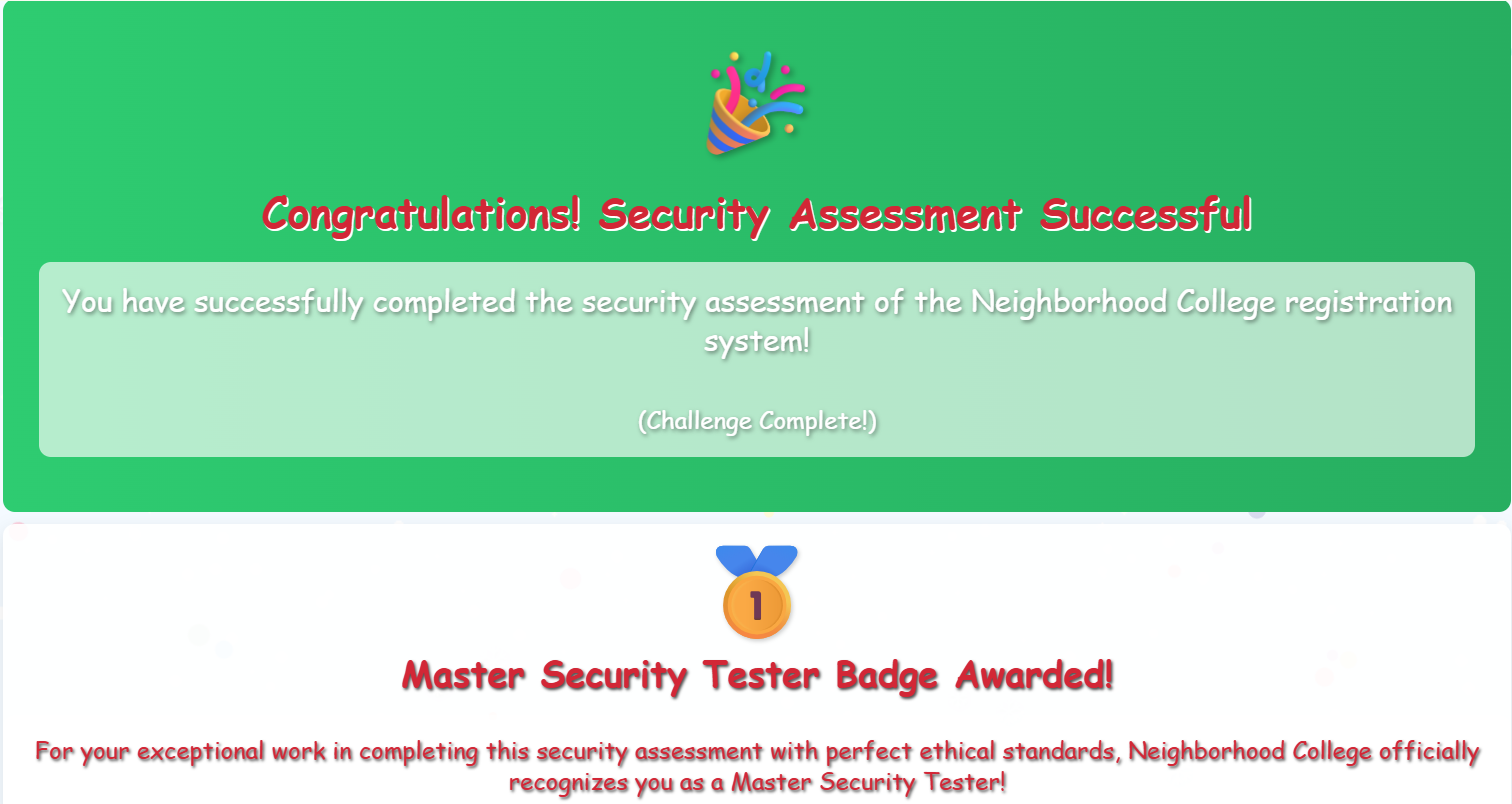
All we need to do now is click ‘Finalize Test’ to access /register/pentestComplete/CompletedProperly839485 and complete the challenge:

Extras
From the SQLi vulnerability we get a list of courses. All except the last one are irrelevant for the challenge, but there’s so much effort in creating all the story that I always like to keep as much information as possible. I kept screenshots of the courses here: Schrodingers Scope.