👨💻 Challenge provided by: Jared Folkins
🗺️ Location: The Neighborhood - Area: City. Coordinates: 7, 29
🔗 Challenge URL: Holiday Networking Challenge
Challenge Description
Skate over to Jared at the frozen pond for some network magic and learn the ropes by the hockey rink.
Helpful References
DNS 101
TCP/IP Transport Layer
What is HTTP
SSL/TLS Handshake
Solution
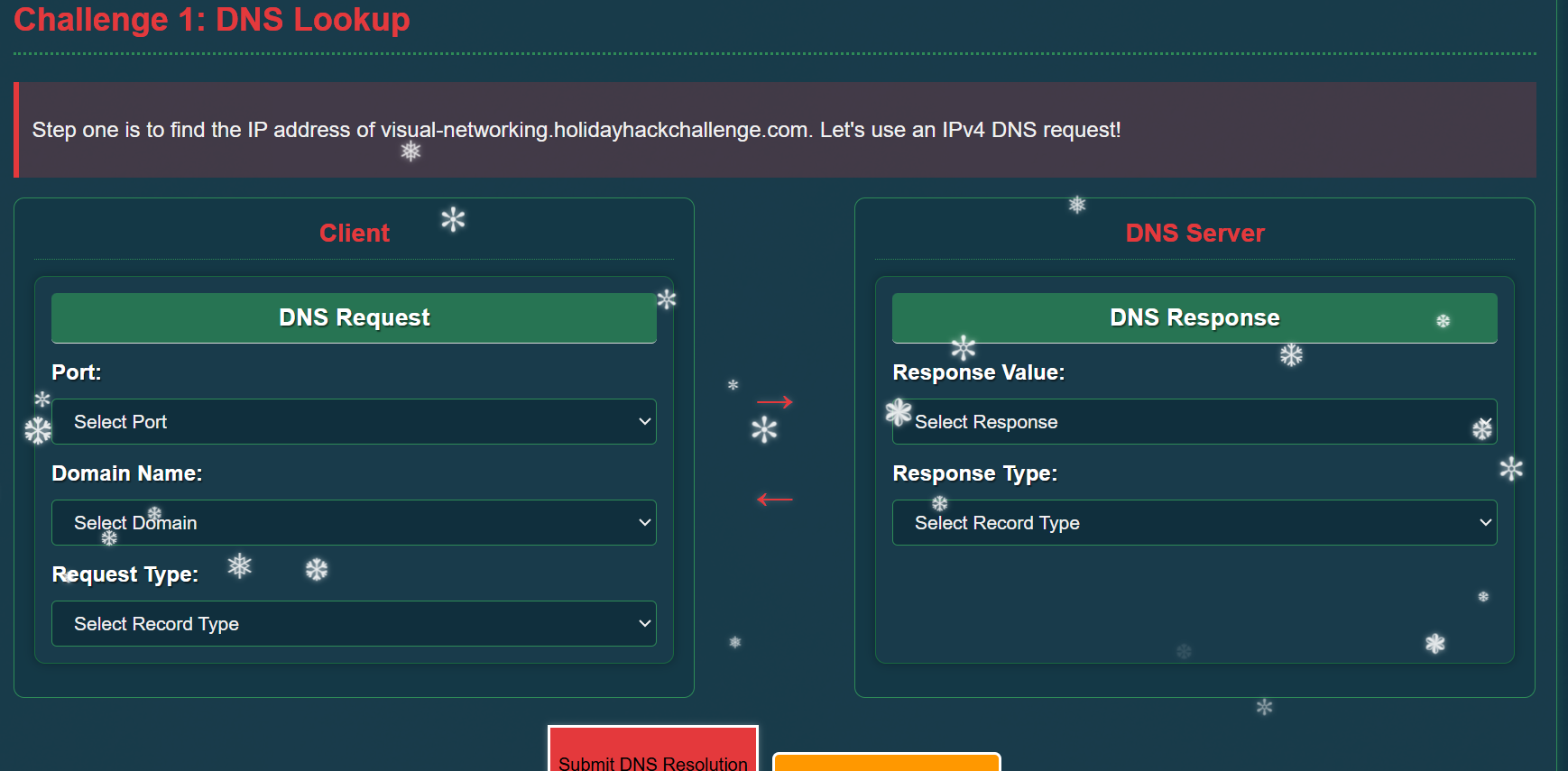
Clicking the terminal next to Jared opens a web page with the instructions for the challenge:
Challenge 1: DNS Lookup
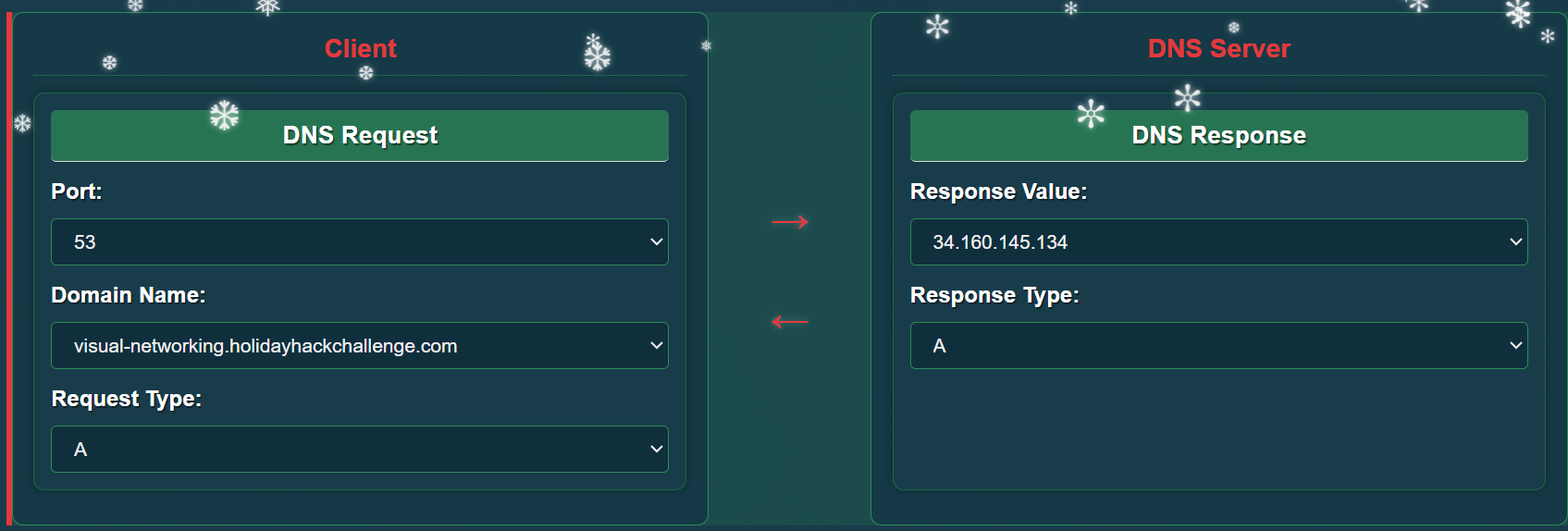
The first step is to find the IPv4 address of visual-networking.holidayhackchallenge.com using a DNS A record lookup:
Answer:
Challenge 2: TCP 3-Way Handshake
Now that we have the IP address of the web server, we need a TCP connection. Drag and drop the TCP flags to create a TCP 3-way handshake between client and server.
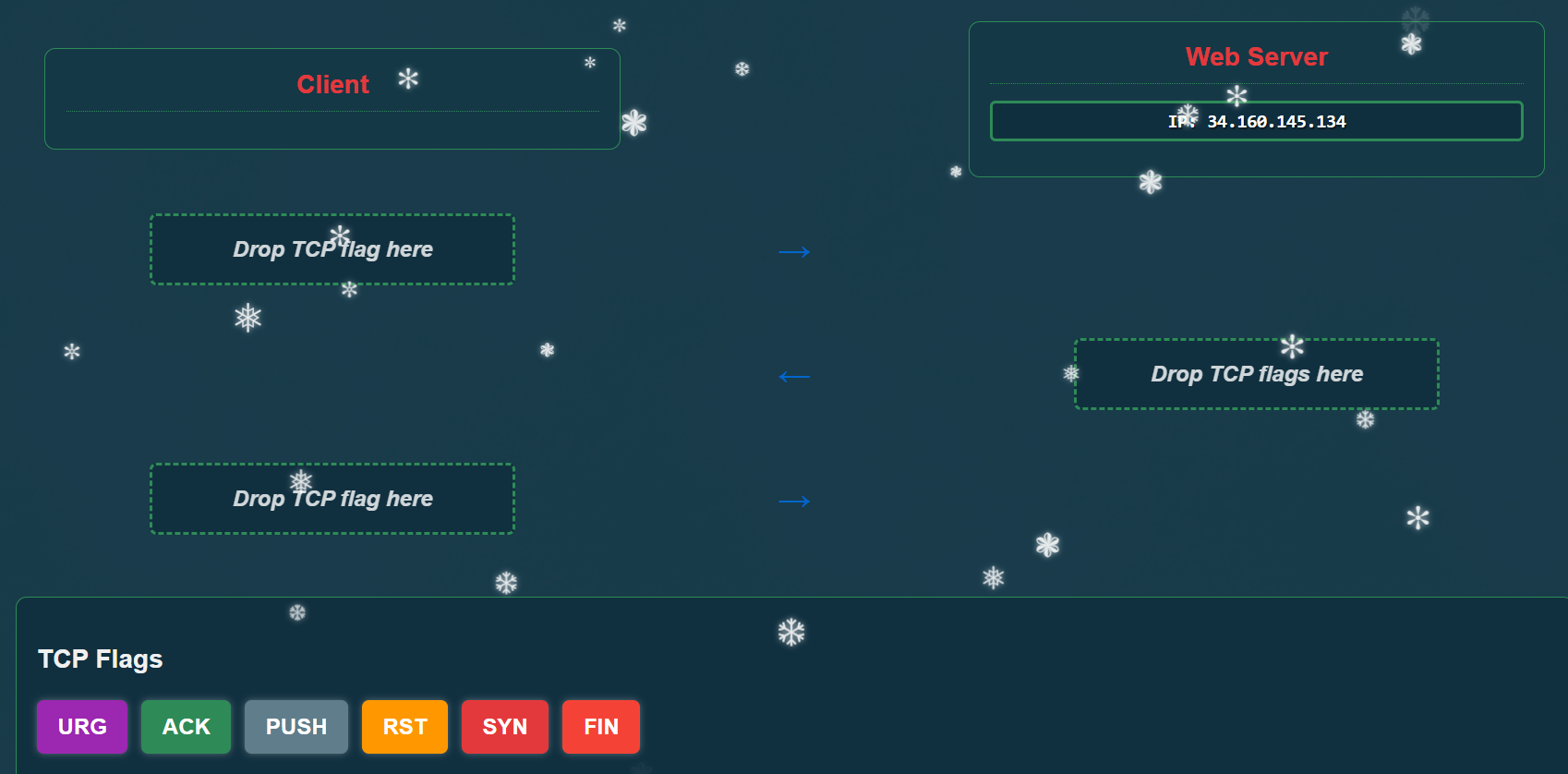
Answer:
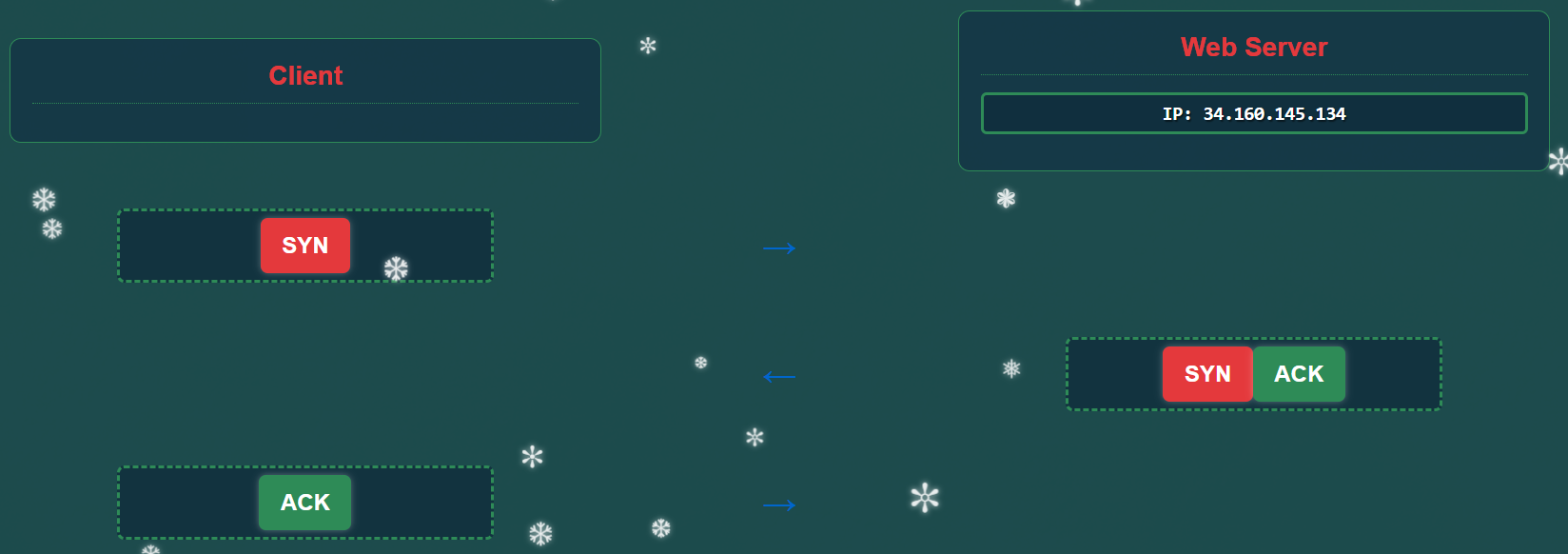
Challenge 3: HTTP GET Request
Now that we have established a TCP connection, let’s create an HTTP GET request to retrieve the web page.
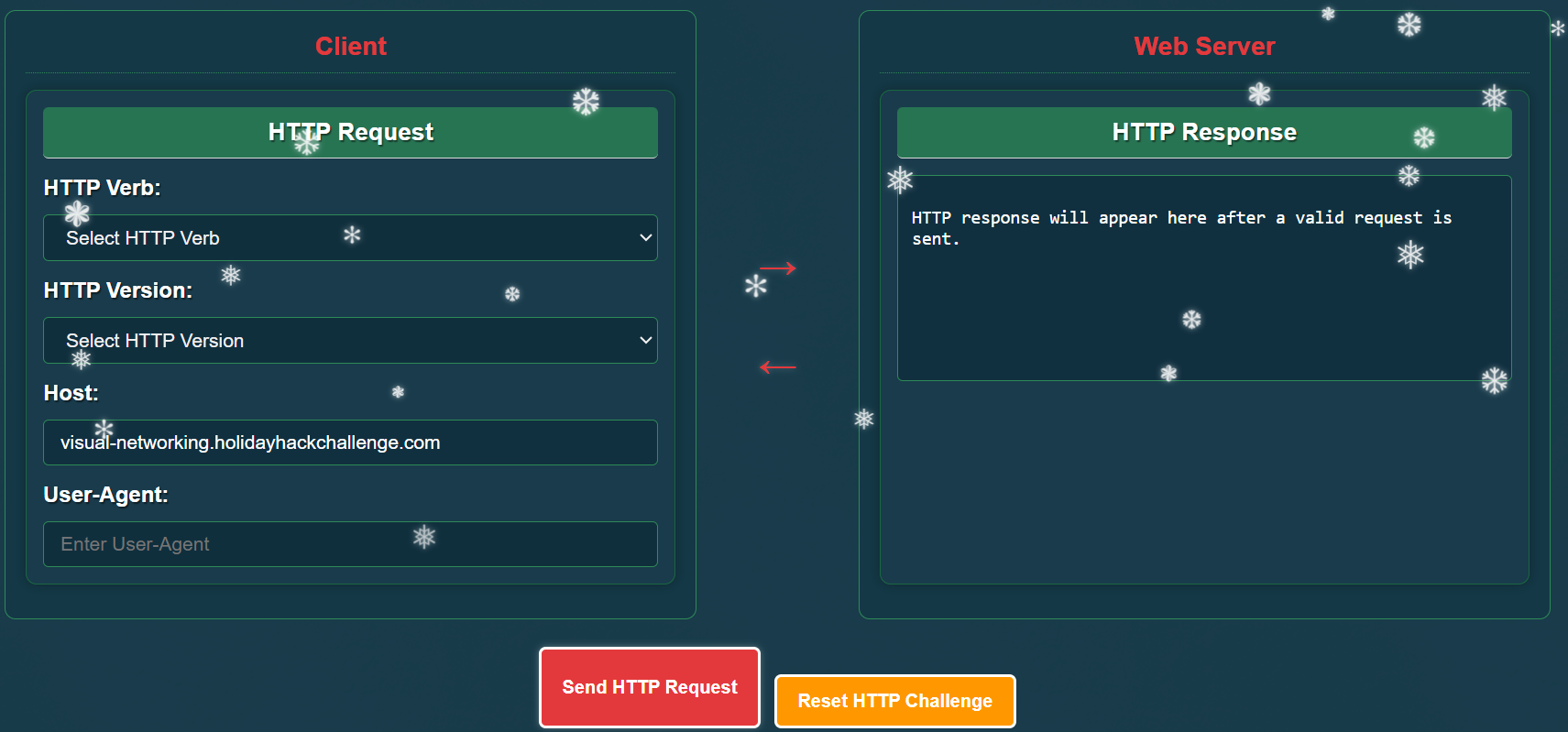
Answer:
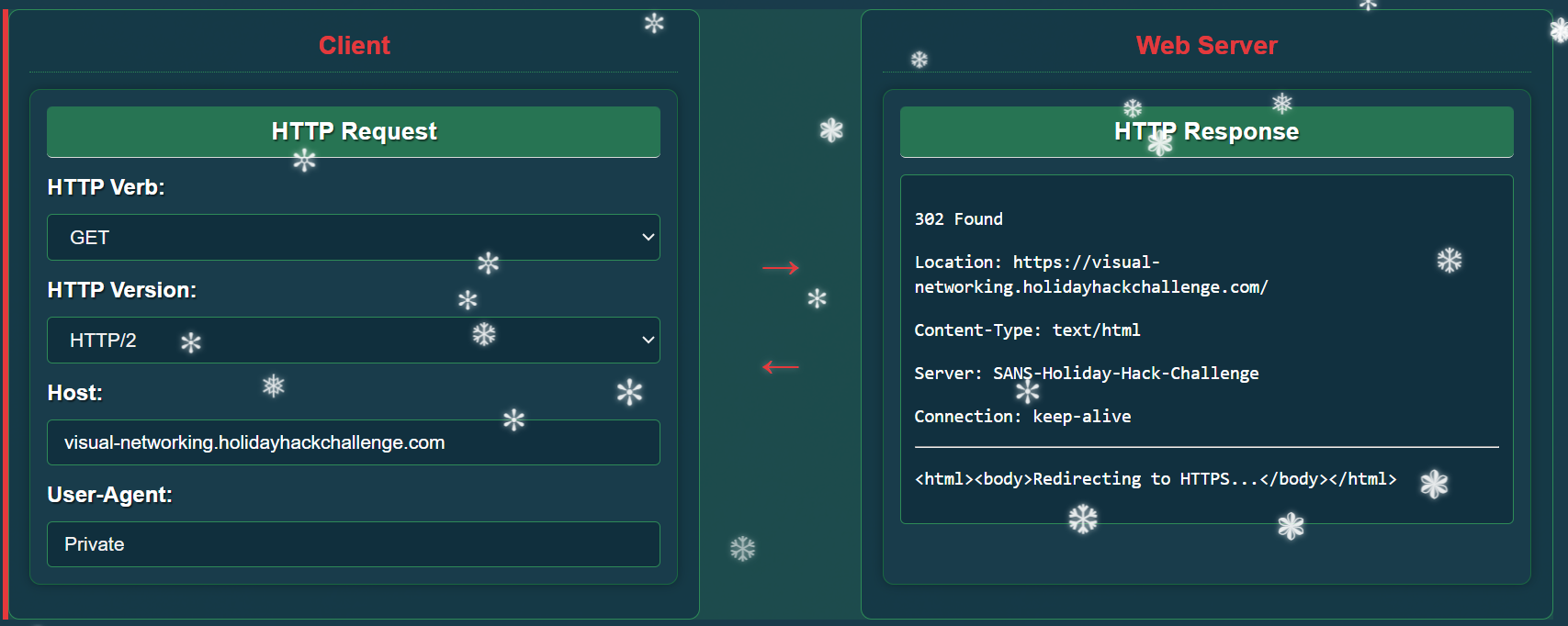
The HTTP Version can actually be any value — HTTP/1.0, HTTP/1.1 and HTTP/2 are all valid. For the User-Agent you can put whatever you want.
Challenge 4: TLS Handshake
Great job with HTTP! Now let’s set up a secure connection using TLS. Drag and drop the TLS messages to create the correct handshake sequence.
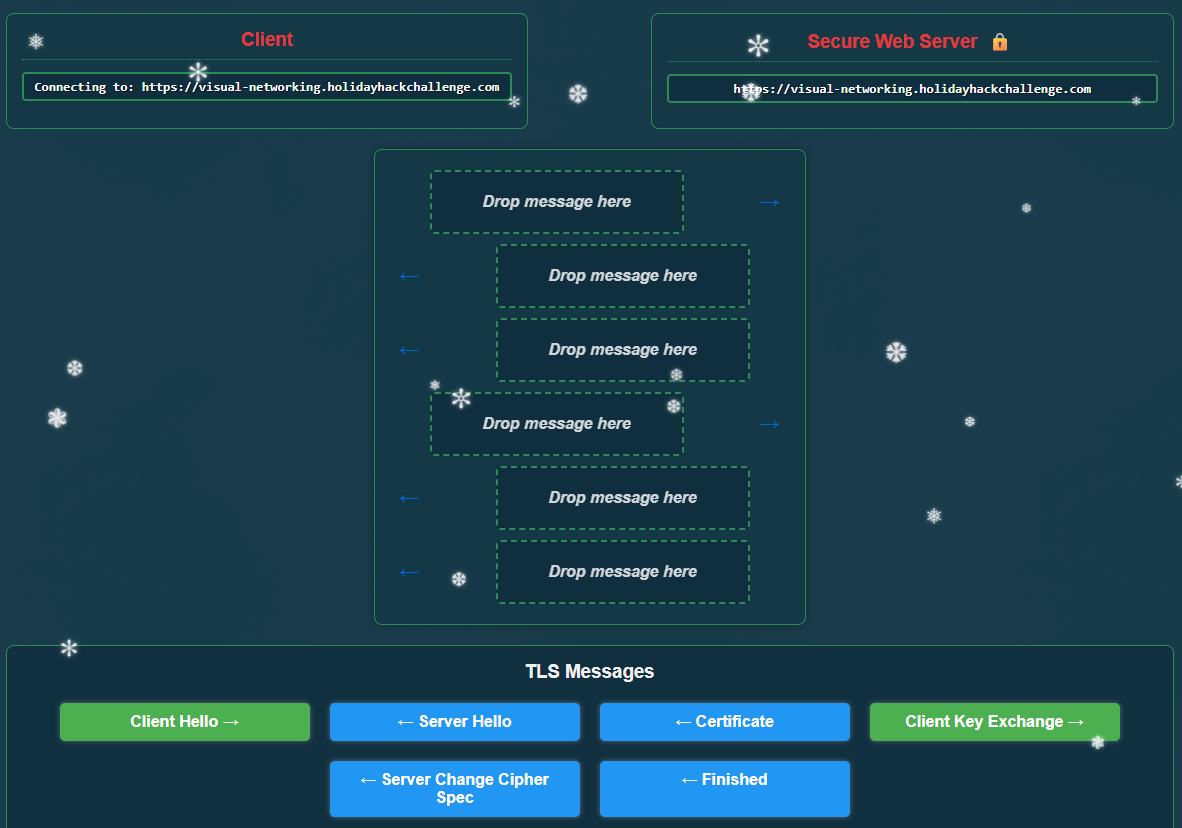
Answer:
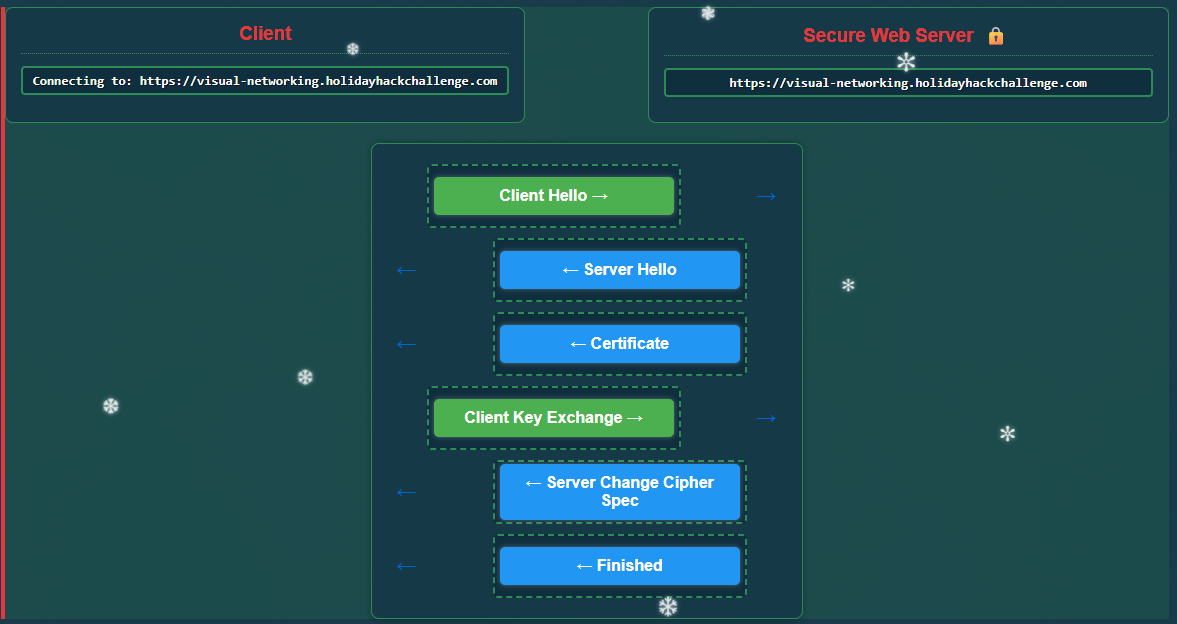
Success! You’ve correctly established a secure TLS connection.
The TLS handshake creates a secure encrypted tunnel for HTTP traffic:
- Client Hello: Client initiates secure connection with supported cipher suites
- Server Hello: Server responds with selected cipher suite
- Certificate: Server sends its TLS certificate
- Client Key Exchange: Client sends parameters for shared secret calculation
- Server Change Cipher Spec: Server indicates messages will be encrypted
- Finished: Server confirms handshake completion
Challenge 5: HTTPS GET Request
Now that we’ve established a secure TLS connection, let’s make an HTTPS request to retrieve the website securely.
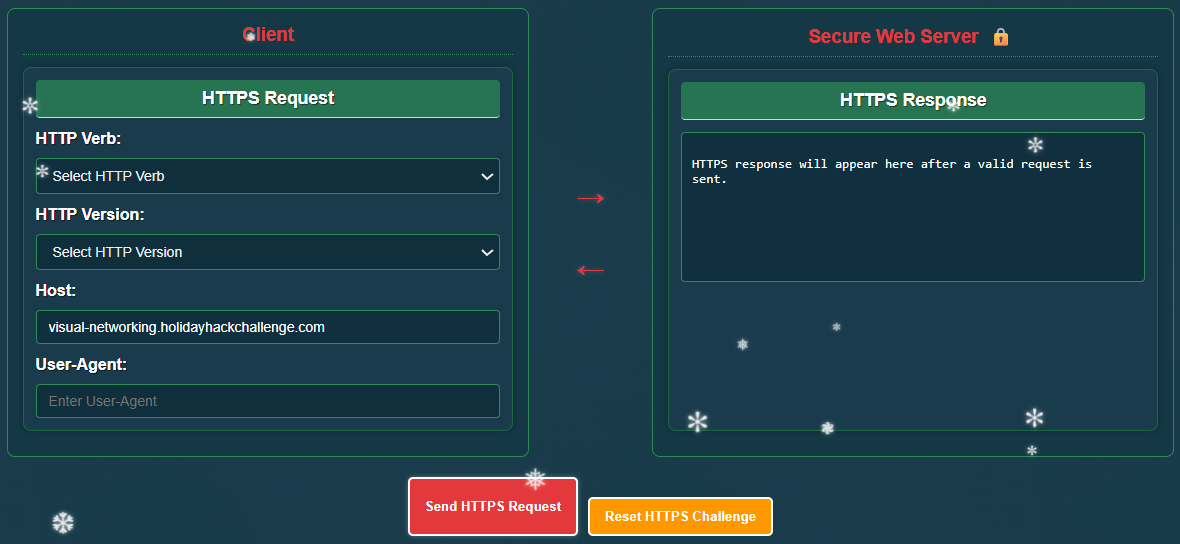
Answer:
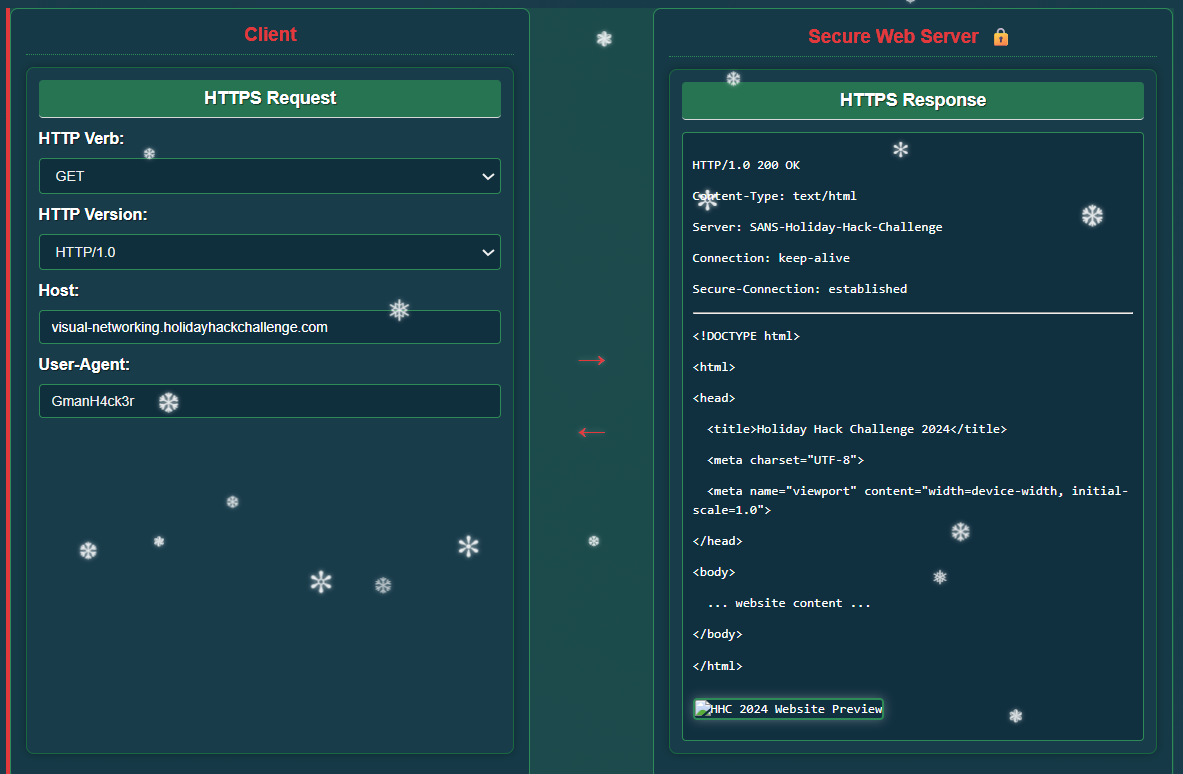
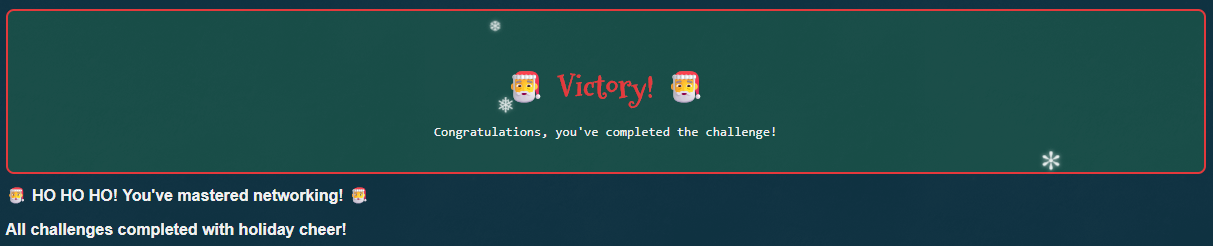
And that completes the challenge:
Extras
If you did not know enough about networking, did not want to learn it, and wanted to cheat, you could simply grab all answers from main.js, a few examples below:
Challenge 1:
    // Check if correct parameters for DNS A record lookup
    const correctRequest = port === '53' &&
                         domainName === targetDomain &&
                         requestType === 'A';
Challenge 2:
// TCP Challenge Logic
// Set up the correct sequence to win (TCP handshake)
const correctSequence = [
    {position: 1, types: ["SYN"]},
    {position: 2, types: ["SYN", "ACK"]},
    {position: 3, types: ["ACK"]}
];
Challenge 4:
// TLS Challenge Logic
// Set up the correct sequence for TLS handshake
const correctTlsSequence = [
    {position: 1, messageType: "ClientHello"},
    {position: 2, messageType: "ServerHello"},
    {position: 3, messageType: "Certificate"},
    {position: 4, messageType: "ClientKeyExchange"},
    {position: 5, messageType: "ServerChangeCipherSpec"},
    {position: 6, messageType: "Finished"}
];
In addition, although I did not test it, we could get the objective completed by simply sending a POST request to /challenge-complete with the following JSON string: { completed: true }. We can see that this is what main.js does and the verification of the challenges seems to be client side only:
function checkAllChallenges() {

    ...truncated...

    if (dnsComplete && tcpComplete && httpComplete && tlsComplete && httpsComplete) {
        // Show victory UI
        document.getElementById("victory-container").style.display = "block";
        document.getElementById("wigwag").textContent = "You've completed all challenges!";

        // Check if we've already sent the completion notification
        if (!window.challengeNotificationSent) {
            window.challengeNotificationSent = true;

            // Send AJAX request to notify server of challenge completion
            fetch('/challenge-complete', {
                method: 'POST',
                headers: {
                    'Content-Type': 'application/json',
                },
                body: JSON.stringify({ completed: true }),
                credentials: 'same-origin'
            })
            .then(response => response.json())
            .then(data => {
                console.log('Challenge completion notification sent:', data);
                // Add an extra festive message for successful submission
                const wigwag = document.getElementById("wigwag");
                if (wigwag && data.success) {
                    wigwag.innerHTML += '<p class="festive-message">🎄 Your success has been reported to the North Pole! 🎄</p>';
                }
            })
            .catch(error => {
                console.error('Error notifying challenge completion:', error);
            });
        }
    }
}