👨💻 Challenge provided by: Ed Skoudis
🗺️ Location: Ed’s Office (City Hall) - Area: edoffice. Coordinates: 7, 5
 Challenge URL: It’s All About Defang Terminal
Challenge Description
Find Ed Skoudis upstairs in City Hall and help him troubleshoot a clever phishing tool in his cozy office.
Helpful References
Regular Expressions
regex101: build, test, and debug regex
RegExr: Learn, Build, & Test RegEx
Regular Expressions Quick Start
Defang IP Addresses, Defang URL - CyberChef
Common IOC Patterns
IPv4 Addresses: \d{1,3}\.\d{1,3}\.\d{1,3}
Domains: [a-zA-Z0-9-]+(\.[a-zA-Z0-9-]+)+
Email Addresses: \b[a-zA-Z0-9._%+-]+@[a-zA-Z0-9.-]+\.[a-zA-Z]{2,}\b
URLs: http://[a-zA-Z0-9-]+(\.[a-zA-Z0-9-]+)+(:[0-9]+)?(/[^\s]*)?
MD5 Hashes: \b[a-fA-F0-9]{32}\b
Sed
SED (Stream Editor) is a command-line utility that parses and transforms text. In security, we often use it to “defang” potentially malicious content using the format: s/pattern/replacement/g
SED uses forward slashes (/) as delimiters, so you need to escape any slashes in your pattern or replacement with a backslash: \/
Replace dots with [.]: s/\./[.]/g
Replace @ with [@]: s/@/[@]/g
Replace :// with [://]: s/:\//[://]/g
Replace http with hxxp: s/http/hxxp/g
Multiple commands: s/\./[.]/g; s/@/[@]/g
Tips for SED Commands
- Forward slashes (/) in your pattern need to be escaped with a backslash:
\/ - Dots (.) have special meaning in regex and need to be escaped to match literal dots:
\. - Separate multiple commands with semicolons:
s/a/b/g; s/c/d/g - The
gflag after the last slash means “global” - replace all occurrences
Solution
The challenge website is divided in two sections. The section on the left provides the following email:
From: "Icicle Innovations" <sales@icicleinnovations.mail>
To: "Neighborhood Watch" <residents@dosisneighborhood.corp>
Subject: 🎄 URGENT: Holiday Kitchen Makeover - Smart Home Integration! 🎄
Date: Wed, 25 Dec 2025 09:15:33 -0500
Message-ID: <holiday2025-kitchen@dosisneighborhood.corp>
MIME-Version: 1.0
Content-Type: text/plain; charset="UTF-8"
X-Mailer: KitchenAlert v2.025
Received: from mail.icicleinnovations.mail (172.16.254.1) by dosisneighborhood.corp (10.0.0.5) with SMTP;
         Wed, 25 Dec 2025 09:15:28 -0500
Received: from core.icicleinnovations.mail (192.168.1.1) by mail.icicleinnovations.mail (172.16.254.1);
         Wed, 25 Dec 2025 09:15:22 -0500

Dear Valued Dosis Neighborhood Residents,

🚨 IMMEDIATE ACTION REQUIRED 🚨

Our elite team of Sunny's kitchen renovation specialists have detected some SERIOUSLY outdated kitchen setups in your neighborhood! It appears that certain homes are still using legacy appliances without proper smart home integration - like non-IoT fridges that can't automatically order milk, or microwaves that don't sync with your meal planning apps!

While this sounds like a delightfully festive renovation opportunity (and totally not a security assessment), we need you to:

1) Download our FREE Kitchen Renovation Planner™ with built-in security features (totally legit, we promise!):
   https://icicleinnovations.mail/renovation-planner.exe

2) Upload high-resolution photos of your current kitchen to our secure design portal (we need to see ALL angles for proper renovation planning):
   https://icicleinnovations.mail/upload_photos

For instant help with any kitchen renovation questions, contact our 24/7 design hotline at 523.555.0100 or our renovation specialists at 523.555.0101.

Remember: If your old appliances start acting up during the assessment, it's probably just excitement about their upcoming upgrades! But please document any issues with photos.

Stay merry (and consider smart upgrades),
Icicle Innovations
Chief Kitchen Design Specialist
📞 523.555.RENO
info@icicleinnovations.mail

P.S. - Has anyone else noticed their kitchen cabinets mysteriously rearranging themselves overnight? We can fix that with proper smart storage solutions!
The section on the right provides the challenge instructions, allows you to submit your answers, and provides references to learn the required skills needed to solve the challenge.
Step 1: Extract IOCs
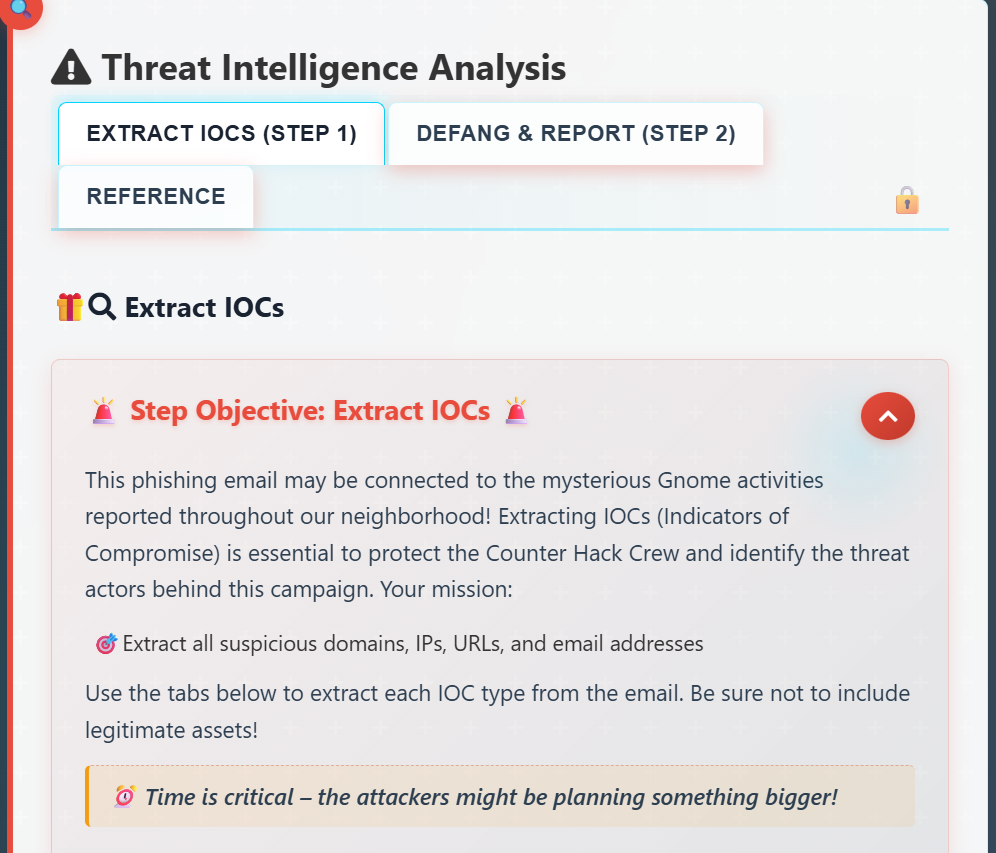
To solve the first step, we need to find a regex that extract the domains, IP addresses, URLs and email addresses from the email:
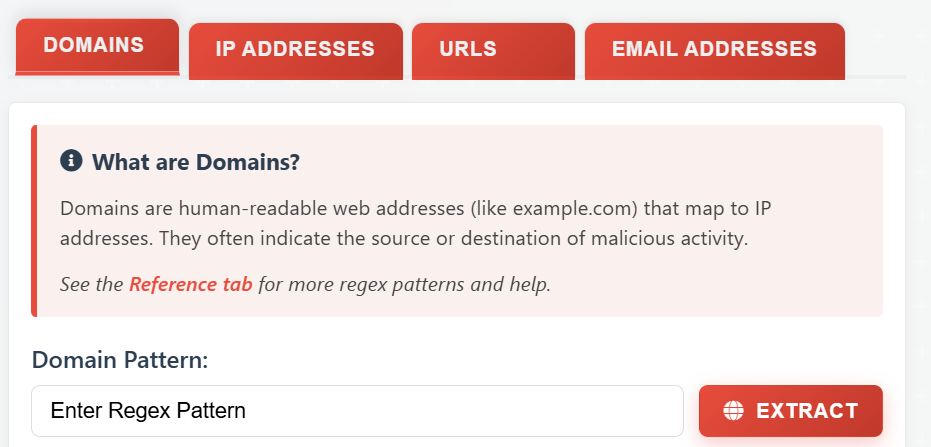
Let’s start with the domains. The references provided point to CyberChef for defanging, but I noticed that you can also use it for regex patterns, and it comes preloaded with quite a few useful patterns. For the domains, CyberChef indicates the following:
\b((?=[a-z0-9-]{1,63}\.)(xn--)?[a-z0-9]+(-[a-z0-9]+)*\.)+[a-z]{2,63}\bLet’s break it down:
\b: we use it at the beginning and end of the regex as a word boundary. Basically, this makes the regex to match patterns between non-word characters such as spaces. For example, we do not want the regex to extractexample.comfrommyexample.computer.(?=[a-z0-9-]{1,63}\.): Lookahead that ensures each label is 1–63 characters long.
(xn--)?: Allows Punycode domains.[a-z0-9]+(-[a-z0-9]+)*: Matches a label with optional hyphen-separated parts.\.: Requires a dot between labels.[a-z]{2,63}: Matches the final TLD (letters only, 2–63 chars).
To solve this challenge, we do not need to include Punycode domains, so I removed that part to simplify the regex. However, if we check the regex, we will quickly find a problem:
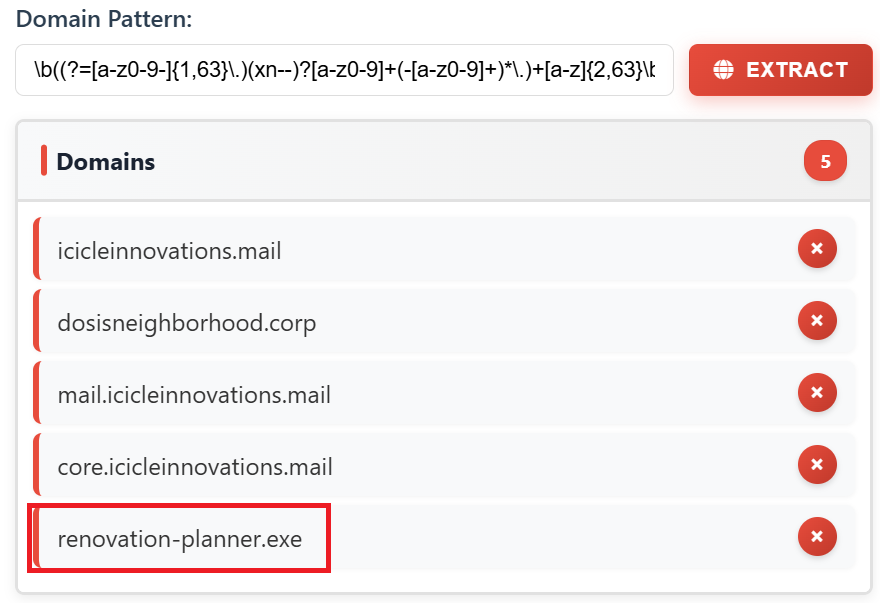
renovation-planner.exe is also selected. I fixed this by using a negative lookahead that removes .exe ((?!exe\b)):
\b((?=[a-z0-9-]{1,63}\.)[a-z0-9]+(?:-[a-z0-9]+)*\.)+(?!exe\b)[a-z]{2,63}\bFinally, we need to remove legitimate domains and IP addresses, otherwise we will get errors like the following during the defang in step 2:
🚨 ⚠️ Security Reminder! 'dosisneighborhood[.]corp' is a legitimate Dosis Neighborhood asset - we shouldn't report our own infrastructure as threats! ⚠️ Network Notice! '10[.]0[.]0[.]5' belongs to our trusted network - please exclude legitimate assets from IOC reports! ⚠️ Communication Alert! 'residents[@]dosisneighborhood[.]corp' is an internal Dosis Neighborhood email address - please don't report our own staff emails as threats (unless they are confirmed compromised)! Kitchen Alert! You've included domains that don't need defanging - the network security systems are getting confused! System Error! Those extra IP addresses are making our security scanners malfunction! Critical Alert! Missing malicious URLs mean residents might click on dangerous links! Connection Issue! Those unusual URLs are causing the security monitoring to fail! Inbox Overflow! Those extra email addresses are flooding the secure communications system! 🚨
To get the final pattern, we need to remove .corp using the same technique we used to remove .exe:
Final Domain Pattern: \b((?=[a-z0-9-]{1,63}\.)[a-z0-9]+(?:-[a-z0-9]+)*\.)+(?!exe\b|corp\b)[a-z]{2,63}\b
For the other IOCs, I followed the same approach. CyberChef gave me a good initial pattern, then I modified them as required to select only the required IOCs:
Final IP Address Pattern: \b(?!10\.)(?:(?:\d|[01]?\d\d|2[0-4]\d|25[0-5])\.){3}(?:25[0-5]|2[0-4]\d|[01]?\d\d|\d)(?:\/\d{1,2})?
Final URL Pattern: ([A-Za-z]+://)([-\w]+(?:\.\w[-\w]*)+)(:\d+)?(/[^.!,?"<>\[\]{}\s\x7F-\xFF]*(?:[.!,?]+[^.!,?"<>\[\]{}\s\x7F-\xFF]+)*)?
Final Email Address Pattern: \b[a-zA-Z0-9._%+-]+@(?!dosisneighborhood\.corp)[a-zA-Z0-9.-]+\.[a-zA-Z]{2,}\b
Step 2: Defang & Report
In this step, we use the IOCs extracted from Step 1:
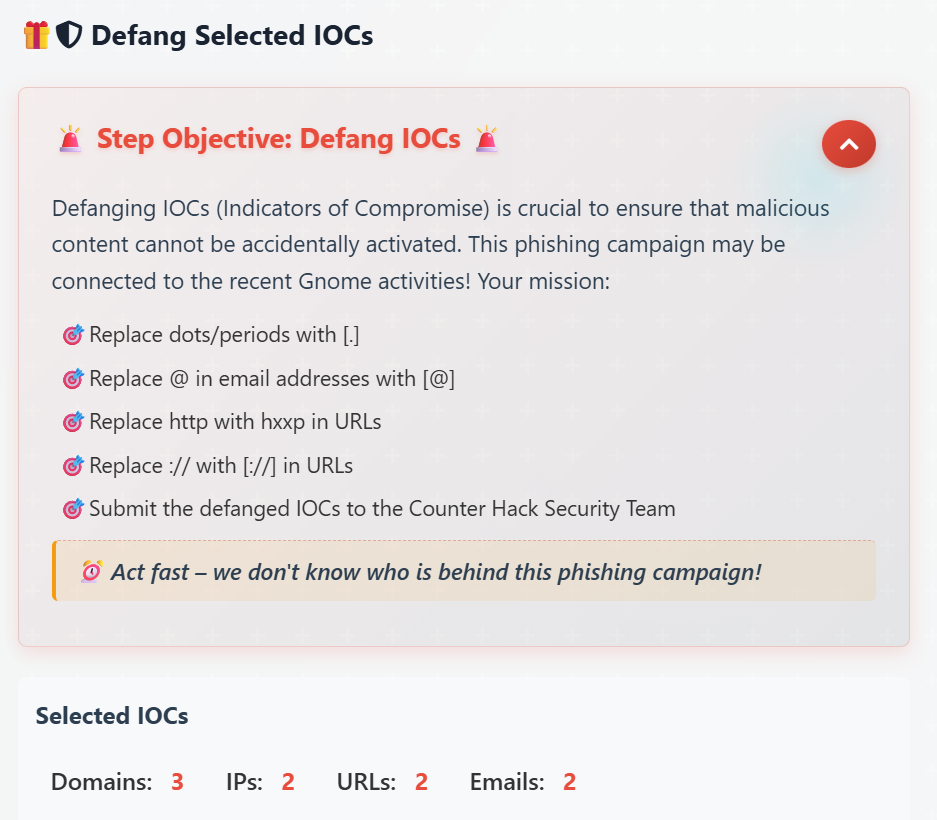
We just need to defang all IOCs:
Custom SED Command(s): s/\./[.]/g; s/@/[@]/g; s/http/hxxp/g; s/:\//[://]/g
Click “Apply” and then “SEND TO SECURITY TEAM” to complete the challenge: